-
Before you start
- The right Eventleaf plan. Session check-in is part of the Professional and Ultimate plans. Session check-in is not available on Starter or Basic Plan.
-
Step 1: Open the session
Log in to Eventleaf and select your event.
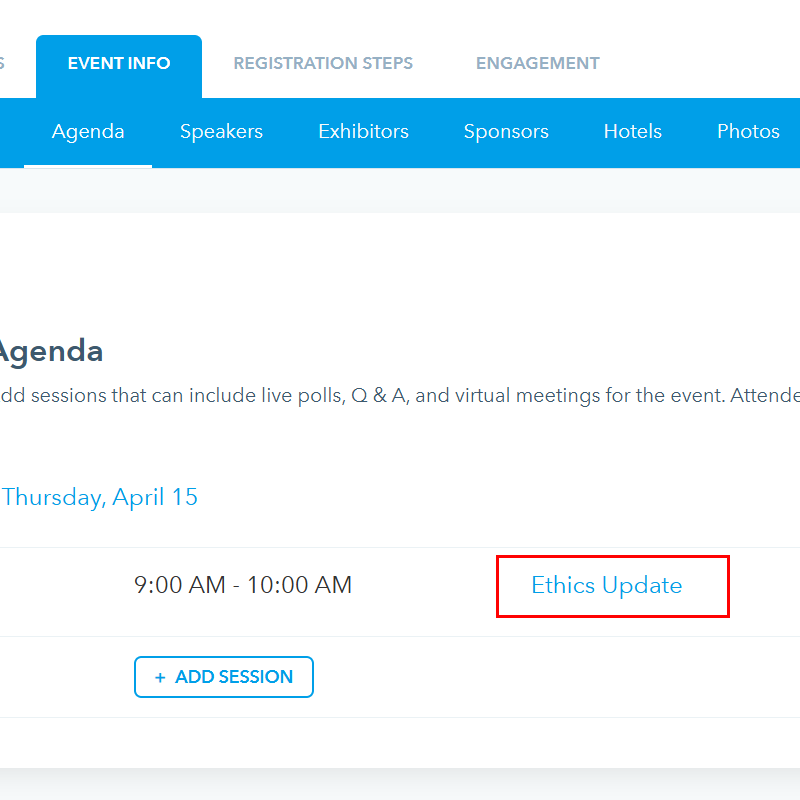
Go to Event Info › Agenda. Select the title of the session, for example Ethics Update for Accountants.
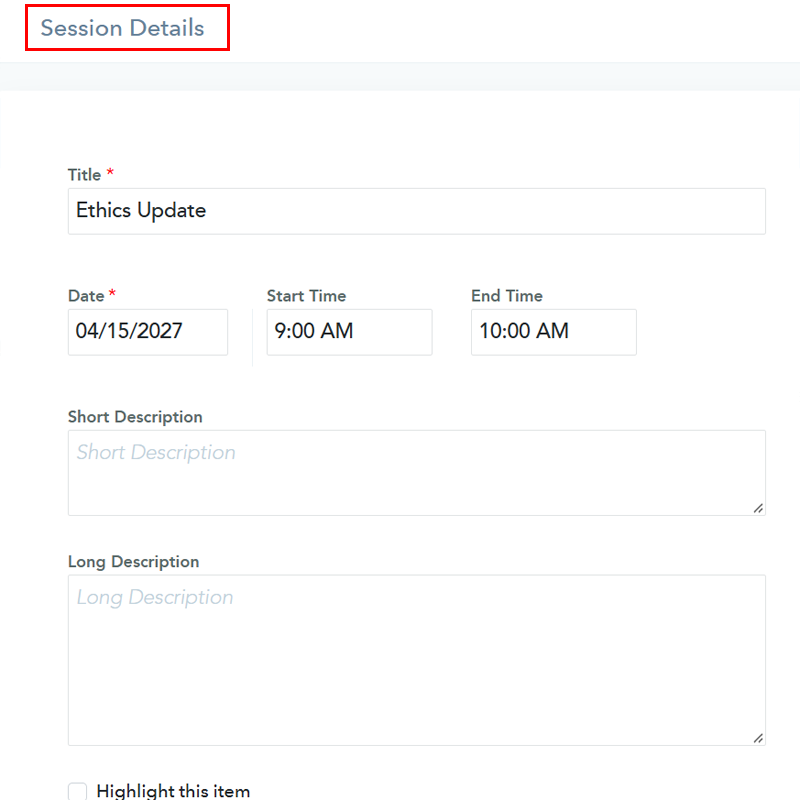
The Session Details panel opens.
-
Step 2: Turn on self check-in and check-out
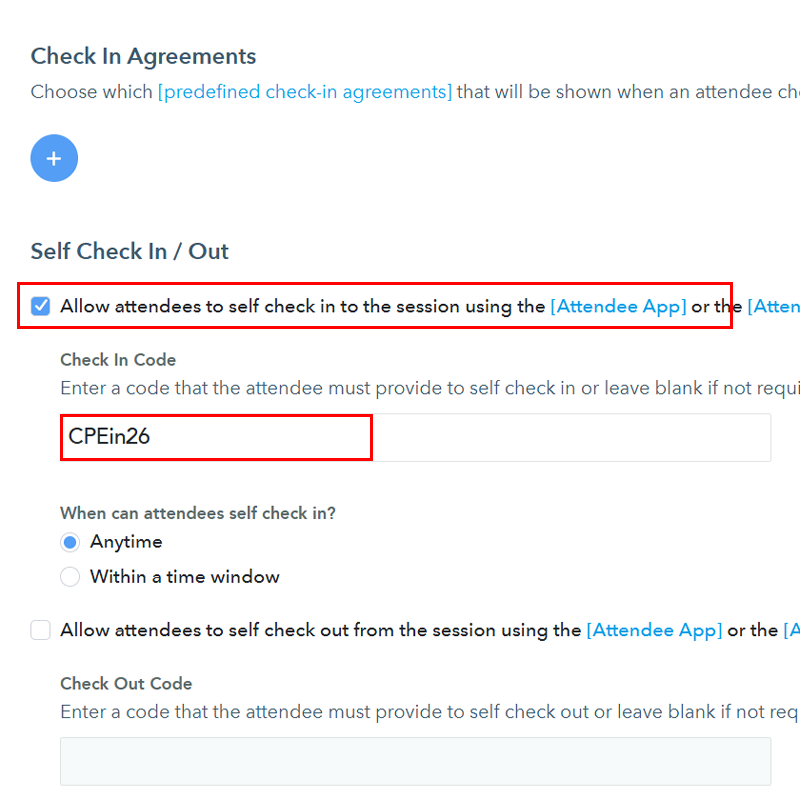
Scroll down to the Check In section and find Self Check In / Out.
Turn on self check-in
- Select Allow attendees to self check in to the session using the [Attendee App] or the [Attendee Portal].
- If you want to require attendees to enter a code at check-in, enter a code in
Check In Code.
Turn on self check-out
If you award credits based on time spent, or want to know when attendees leave, turn on self check-out:
- Select Allow attendees to self check out from the session using the [Attendee App] or the [Attendee Portal].
- If you want to require attendees to enter a code at check-out, enter a code in
Check Out Code.
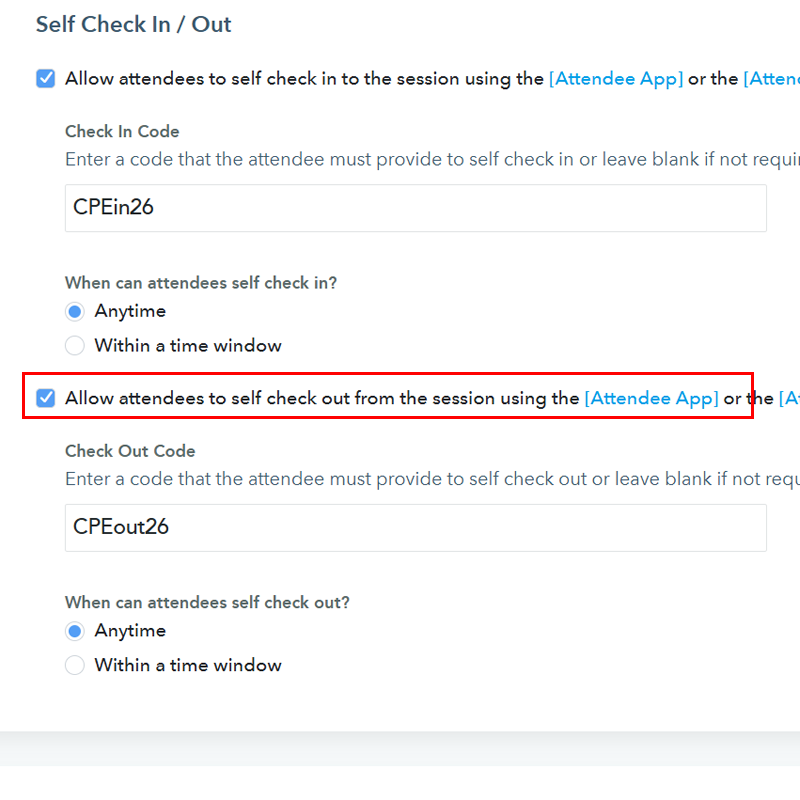
Important: Codes are case-sensitive. If the code is CPEin26, the code cpein26 gets an "Invalid code" message.