Eventleaf How To Guides

How to view reports

With the right event management platform, tracking and analyzing your event data becomes effortless. Eventleaf offers powerful reporting features that allow you to view, customize, and share a wide range of reports to help you make data-driven decisions.

Whether you're looking to monitor registrations by sessions or assess attendee engagement, Eventleaf event management software provides an easy-to-use dashboard for all your reporting needs. From detailed stats to in-depth insights, you can track the success of your event and share findings with stakeholders in no time.

Eventleaf allows you to view all sort of reports, these reports can be

  • Customized

  • Exported

  • Shared

Report Dashboard

Go to Event > Reports > Dashboard

  1. View different stats

  2. Click on any stats to view corresponding report
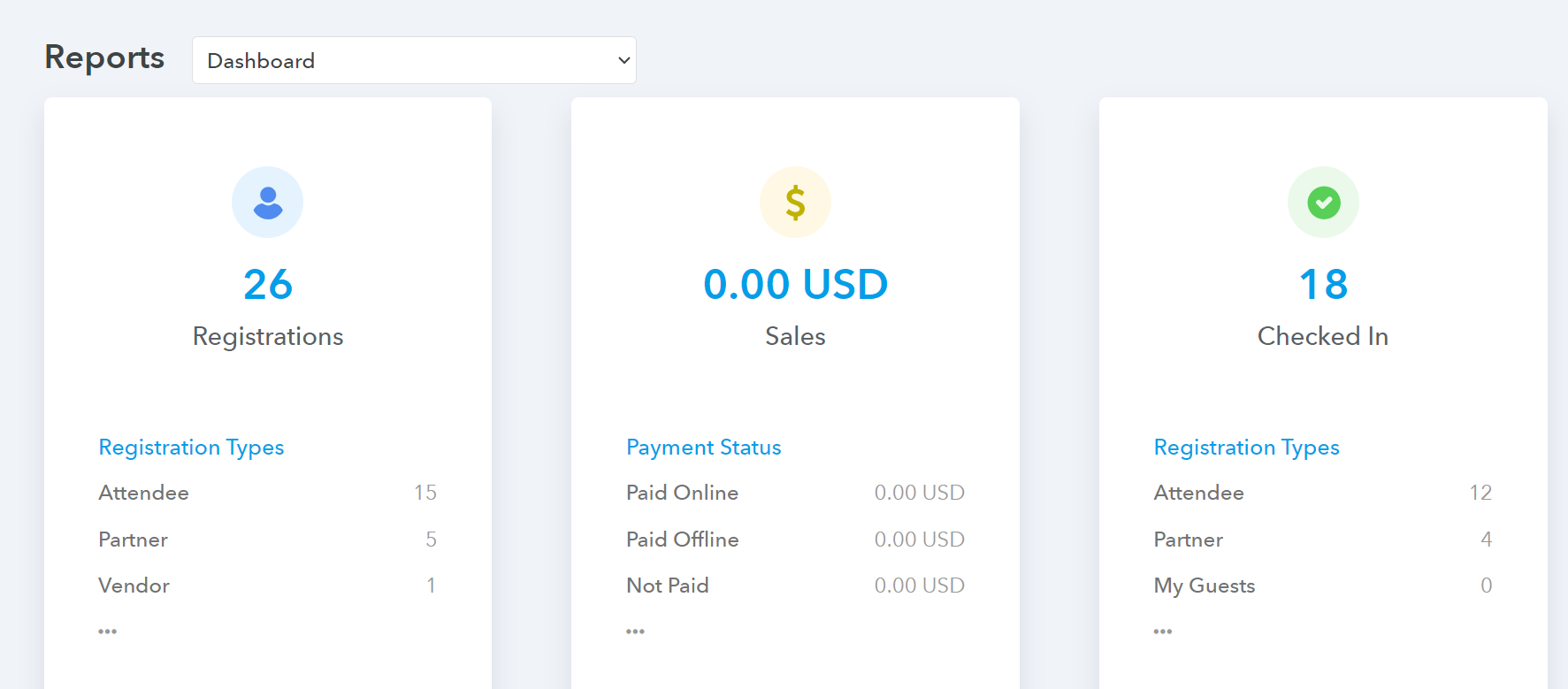
    Report Dashboard

Selecting a report

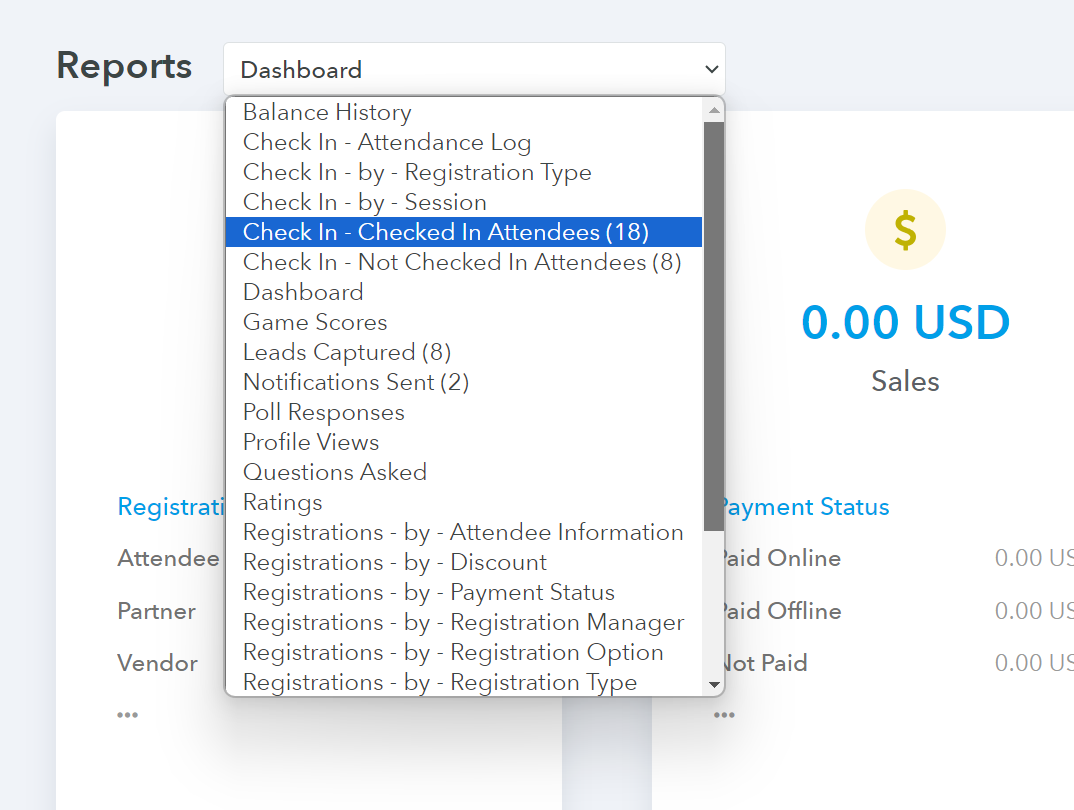
Go to Event > Reports > Click on 'Report Type' drop down

  1. Go to Event and click Reports

  2. Select Report Type

    Report Type

Registrations by Sessions

Go to Event > Reports > Dashboard

  1. Locate Registrations by Sessions stats

  2. Click on any session to view registrations for that session
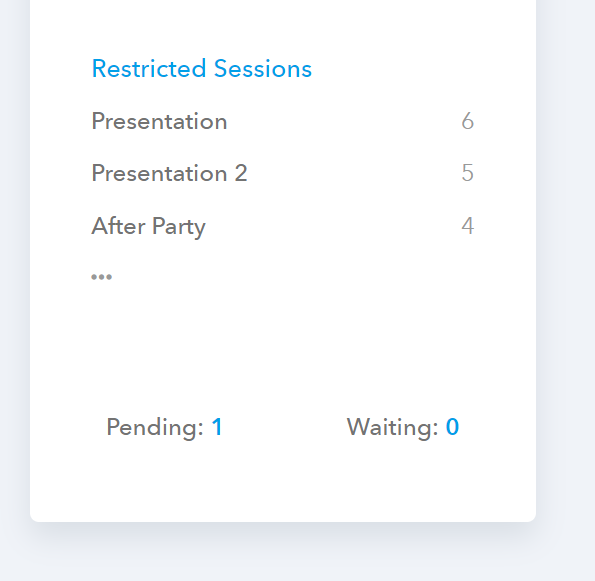
    Registrations by Sessions

Report on Attendees Engagement

Go to Event > Reports > Dashboard

  1. Locate Engagement stats

  2. Click on any items, such as polls, to view report on polls
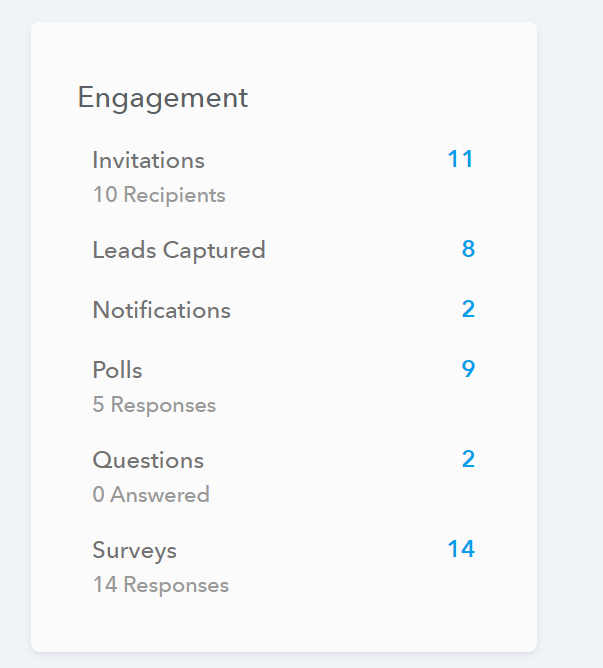
    Attendee Engagement Reports

START MANAGING EVENTS

Launch your event registration site in just 2 minutes!

TRY FOR FREE REQUEST A QUOTE REQUEST A DEMO